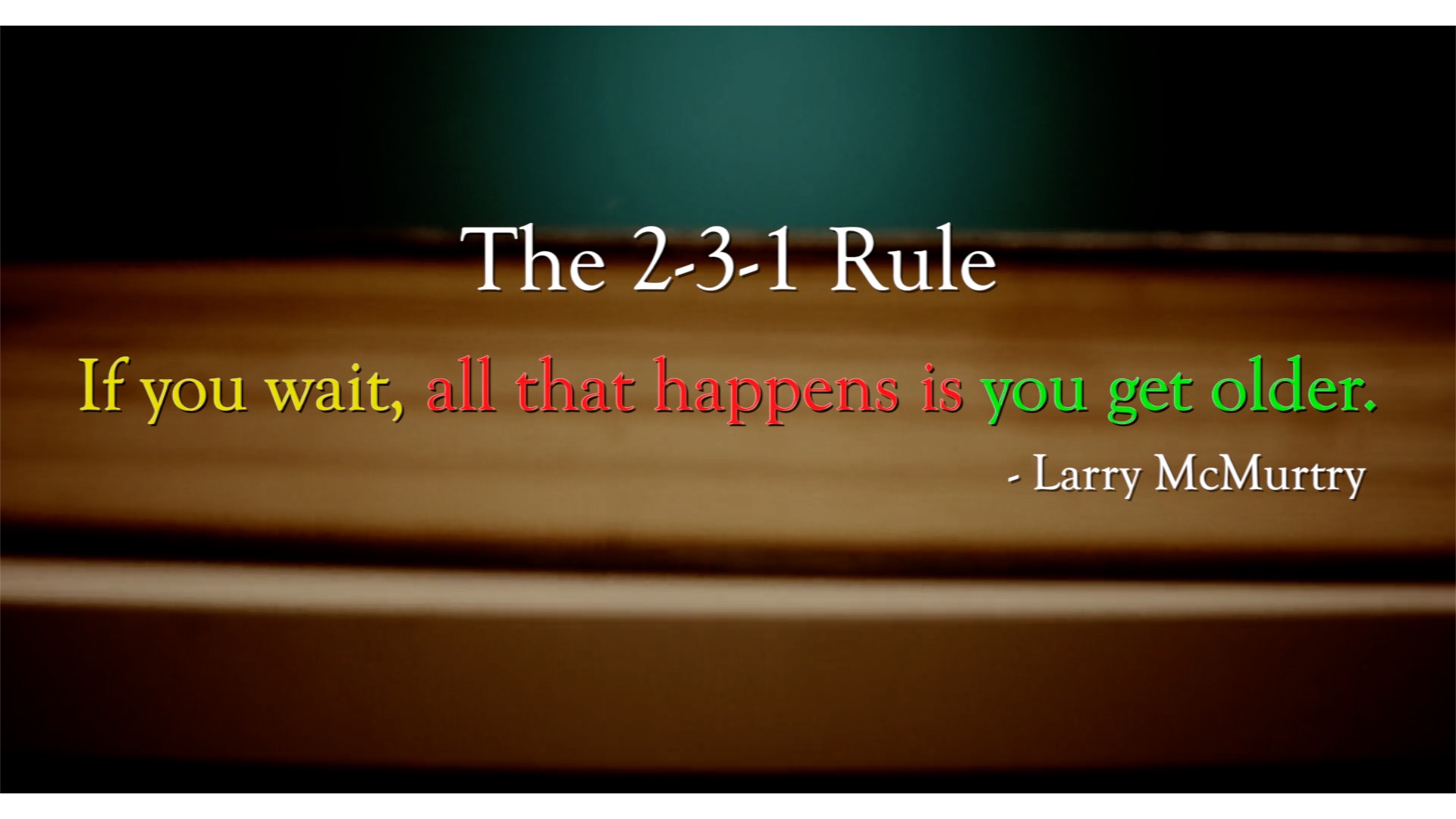
The position of words in a sentence matters. Generally, you want to place the most important words or images at the end, so the idea hangs with the reader. Consider examining your work through the lens of The 2-3-1 Rule, where you have your most important part at the end, the second most important at the beginning, and the next most important information in the middle.
The door was locked and after knocking two or three times he was sure the apartment was empty. He had rapped loud enough to make someone on the floor above rap back, like an exasperated ghost. But he would have to go in and make sure, and he didn’t have a key. He turned to go down the stairs to Mr. Freeman’s apartment, and that was when he heard the low groan from behind the door. – The Stand, Stephen King
The 2-3-1 Rule is great for building suspense, but it can also be useful when you’re trying to evoke emotions such as fear, shock, and hopelessness:
I was alone and orphaned, in the middle of the Pacific, hanging on to an oar, an adult tiger in front of me, sharks beneath me, a storm raging about me. Had I considered my prospect in the light of reason, I surely would have given up and let go of the oar, hoping that I might drown before being eaten. But I don’t recall that I had a single thought during those first minutes of relative safety. I didn’t even notice daybreak. I held on to the oar, I just held on, God only knows why. – Life of Pi, Yann Martel
The 2-3-1 Rule can be used in many ways, regardless of what you’re writing. However, what I believe is the most powerful use of the rule is in misdirection and humour:
For thousands more years the mighty ships tore across the empty wastes of space and finally dived screaming on to the first planet they came across — which happened to be the Earth — where due to a terrible miscalculation of scale the entire battle fleet was accidentally swallowed by a small dog. – The Hitchhiker’s Guide to the Galaxy, Douglas Adams
Have you tried The 2-3-1 Rule? Did you find it useful? Let me know in the comments below.
For more writing ideas and original stories, please sign up for my mailing list. You won’t receive emails from me often, but when you do, they’ll only include my proudest works.
He replaced the receiver in its cradle without answering her, turned off the ringer, and pressed his face into the doorframe. – The Corrections, Jonathan Franzen
This is a right-branching sentence, where the subject and the verb are at the beginning. Right-branching sentences are great for guiding a reader through an idea with clarity and narrative energy.
Check out this 76-word sentence:
He’d solved the problem of family Christmas gifts on the last possible mailing day, when, in a great rush, he’d pulled old bargains and remainders off his bookshelves and wrapped them in aluminum foil and tied them up with red ribbon and refused to imagine how his nine-year-old nephew Caleb, for example, might react to an Oxford annotated edition of Ivanhoe whose main qualification as a gift was that it was still in its original shrink-wrap. – The Corrections, Jonathan Franzen (Amazon)
Because it began with the subject and verb, we were able to follow along through all the descriptions and details, without losing track of what the character was doing — solving the problem of family Christmas gifts.
It’s common to keep the noun and verb separate. Many times, we’d begin by describing the subject and then moving to the verb much later on, but by separating subject and verb we increase the possibility of confusion. This delay in important information can be risky depending on the length and complexity of the sentence.
However, you should not rely solely on right-branching sentences. By using a structure where the subject and verbs arrive at the end, aka a left-branching sentence, you create suspense.
Here’s this one for example:
Earlier in the day, while killing some hours by circling in blue ball-point ink over uppercase M in the front section of a month-old New York Times, Chip had concluded that he was behaving like a depressed person. – The Corrections, Jonathan Franzen
Try putting your subject and verb in different spots in your sentence and see how that changes the clarity, tone, and pace of your writing. Feel free to share it in the comments below!
For more writing ideas and original stories, please sign up for my mailing list. You won’t receive emails from me often, but when you do, they’ll only include my proudest works.
Grammarly, Hemingway Editor, Expresso, and After the Deadline
Some may think that using a grammar or spelling app as a writing tool is akin to using auto-tune as a singer. In a way, you’re bypassing important skills and disciplines of writing, such as having a good handle on the tools and structure of the written language.
Yet, in this day and age, to not use any given tool available would be a foolish move. It can be debated that what is important is the ideas being communicated, and if there is a way to ensure the communication doesn’t get disrupted by spelling and grammar mistakes, shouldn’t we take advantage?
Personally, I’m a proponent of spelling and grammar apps.
First off, writing is not editing. The task of an editor is a complete shift in the creation process. In a short timeline, it’s sometimes hard for a writer to make that transition. As a writer, you would want to have another set of eyes — even robot eyes — to have a look at your work before you share with your company. Additionally, writers who don’t use these apps still have access to them. It’s like walking instead of taking the bus. Yes, walking is healthier for you and you might save a few dollars, but the bus is still an option. You are by no means a hero.
With all that off my chest, I would like to share 4 free online spelling and grammar tool with you. And as a bonus, I will give a little review of them, showing off what they are capable of.
A Paragraph with A Lot of Writing Errors
In order for me to evaluate the apps, I needed a sample with as many types of errors I can think of. Inspired by the city I live in, I wrote the most heinous paragraph ever. Which, it may come as a surprise was actually pretty hard to do. Give it a try, try to purposely write a paragraph with some spelling and grammar mistakes.
This is what I came up with:
They’re is a lot to see in Vancouver. Lets explore what there is to do. If your traveling hear on a sunny day, I recommend you go to stanley park. This park is bigger and better. It’s a beautiful place. The sea wall is enjoyed by runners and joggers every day. In the park, you can find a nice field to relax and bring a picnic to have with a friend or you can even go to the aquarium or take the horse-drawn carriage and tour the whole park. There is a much more to do in Vancouver. A historic neighbourhood, you can go to is Gastown. On a busy day there are to many touristbut if you go during off season you don’t have to worry about that people. However don’t wander aimlessly too far east or you might end up in Downtown Eastside. I insure you, that it is not where you want to be.
This is the best (and the worst) I can do apparently. Let me know what you think and if I have missed any other notable errors.
4 Spelling and Grammar Apps
Now that I have a sample, I’m going to start plugging it into the apps and websites to see what results I get.
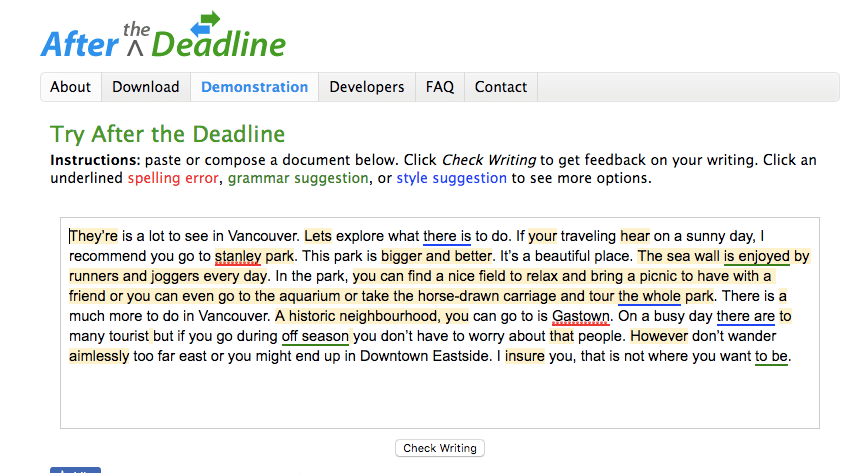
I pasted the paragraph into the text box and clicked “Check Writing” and a bunch of squiggly lines appeared beneath some of the words and phrases.
As you can see, PolishMyWriting.com missed a lot of spelling errors and the run on sentences, but picked up on complex phrases and words that could be omitted. Sort of…
Overall, this app is good for final touch ups after a more thorough edit. It missed a lot of mistakes and definitely won’t save you from embarrassment if you are relying solely on it to fix your first draft.
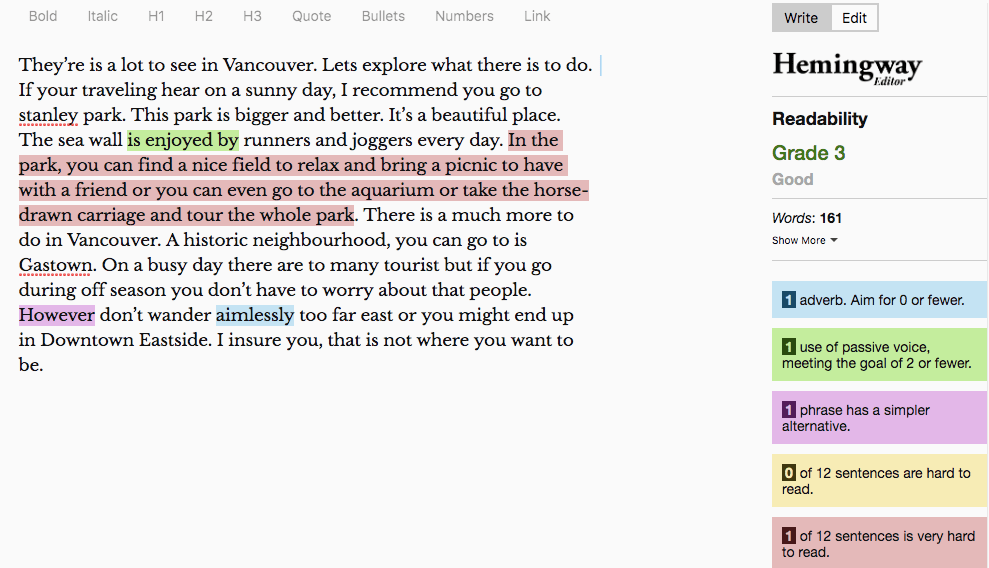
The first notable insight that the Hemingway app provided is the readability score. As you can see, my horrible paragraph would be accessible to a third grade audience.
This app did a good job catching all the extraneous words and run-on sentences, but missed all the spelling errors. This app is definitely not a spell check and should not be relied on as such.
If you are writing content for a wide audience and want your ideas to be communicated as clearly as possible, then the Hemingway App is a great product to help you achieve that.
Of all the apps I’m reviewing today, Grammarly is perhaps the most popular. It’s worth mentioning that I am not looking at any of the paid versions, I am only reviewing the free version.
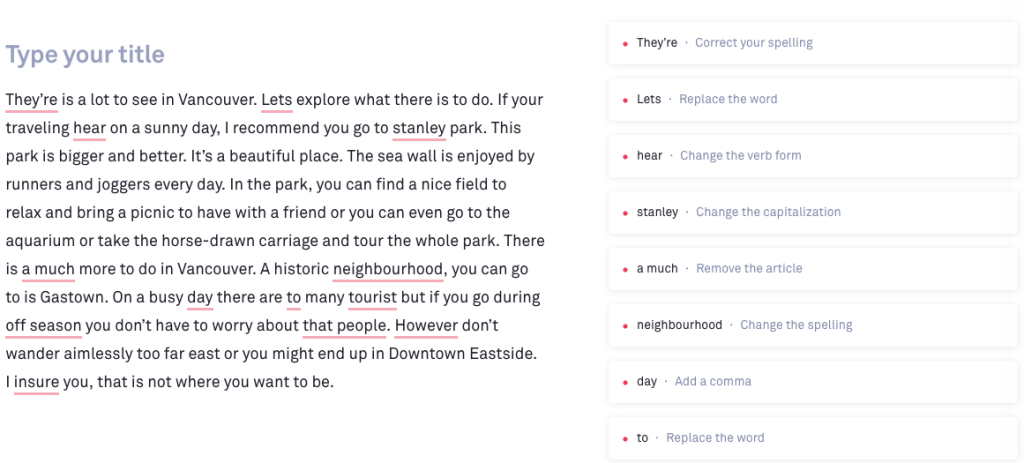
And here is how I feel about it:
Grammarly did a good job catching most of the spelling errors and punctuation mistakes, but was not helpful in catching passive voice, run-on sentences or vague descriptions.
If what you want from a spelling and grammar app is to double check your work as you move quickly through your draft, then Grammarly is a fantastic choice and has been one of my favourite tools.
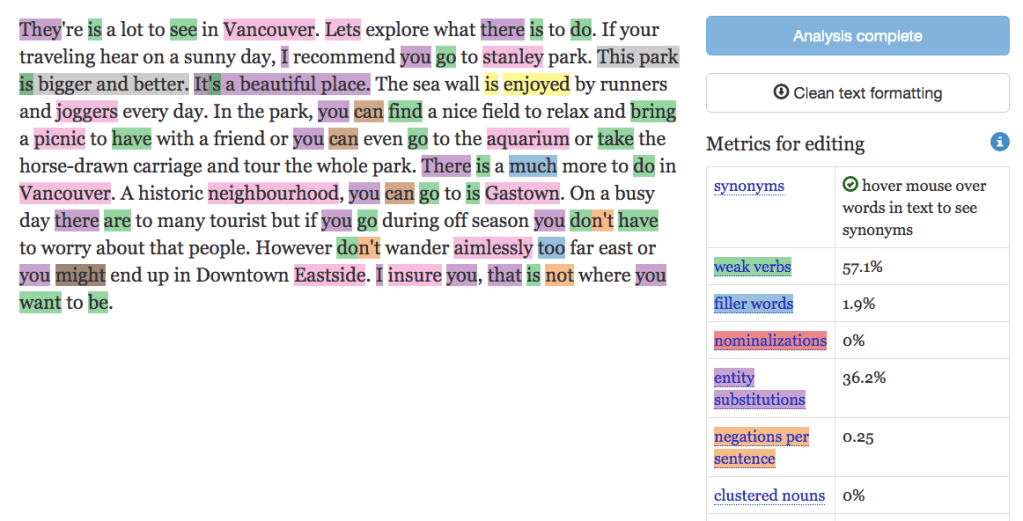
The Expresso App is an interesting product because it is not designed to help you correct errors but help you understand certain trends that might be appearing in your writing.
This app has a lot of details and can be a little confusing to use especially if you are not too confident with spelling or grammar in the first place. I recommend clicking into each category individually and understanding why this word or phrase is highlighted. Not every highlight is a suggestion to change, it’s more or less just telling you why it’s noted for you to consider.
Paste some of your writing in and see if you can spot any notable and you get to decide how you want to use that information. Good luck.
There you have it, those are 4 free spelling and grammar apps that can assist you as you write. My personal favourite is Grammarly because they offer a Chrome Plugin. What’s yours?
Are there other apps or tools that you are using? I’d love to check it out. Please share.

 Elliot Chan